Branding options for the login page on sumHR
- TAP on the DROP DOWN menu situated at the TOP RIGHT CORNER of your HOMEPAGE.
- Choose CONFIG MODE from the options.

- Under HRIS DATA Click on ACCOUNT MANAGEMENT then GLOBAL DEFAULT > Click on X option and upload your COMPANY'S LOGO.
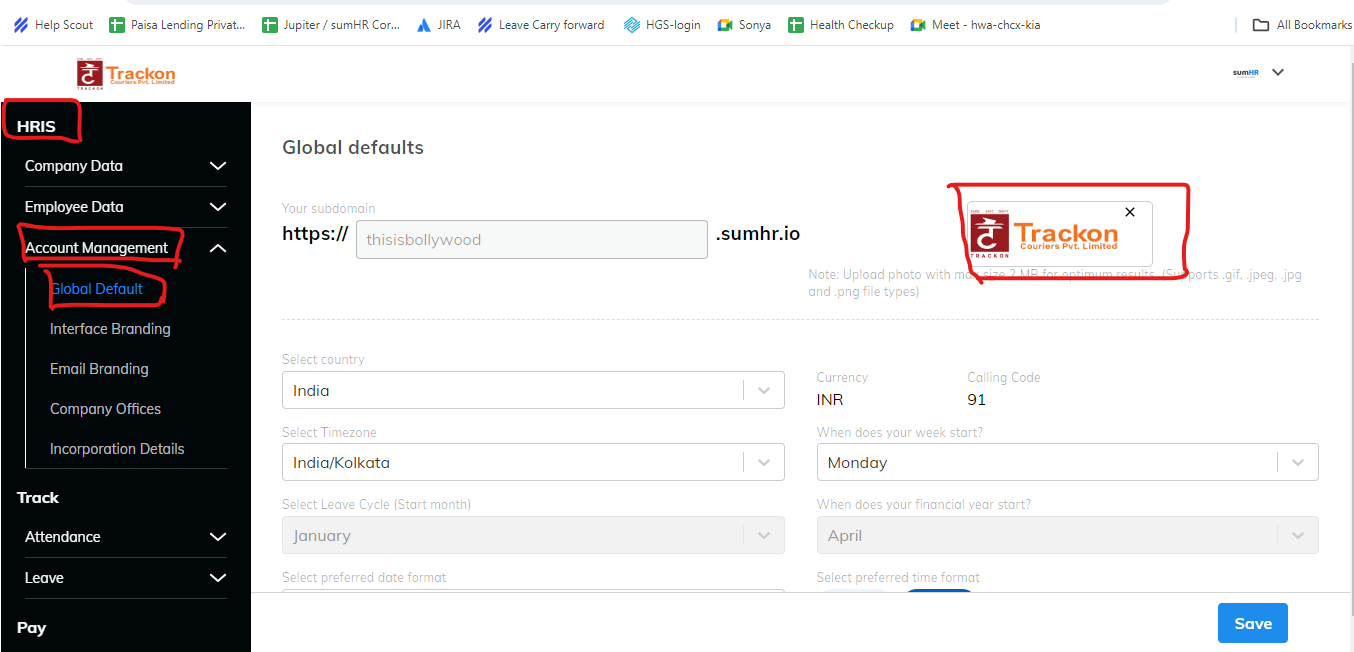
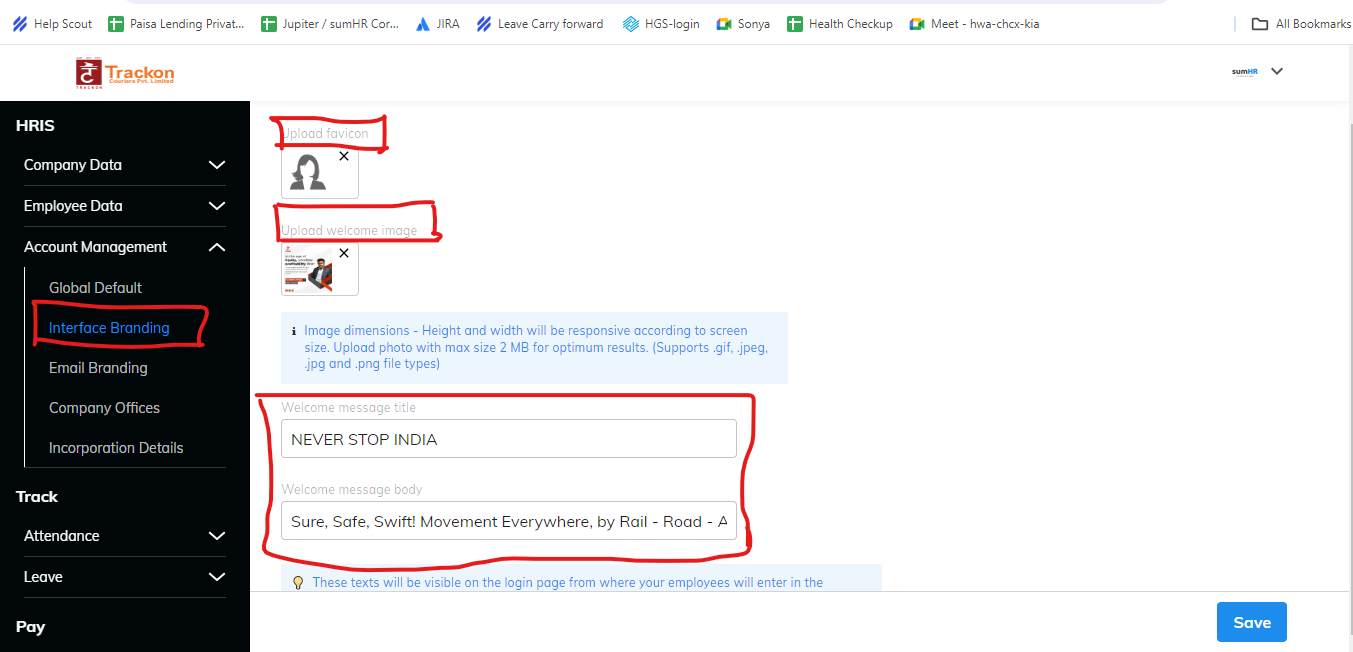
- Now Choose INTERFACE BRANDING.
- From here you can Upload FAVICON, WELCOME image and update WELCOME MESSAGE.
Did this answer your question?
Thanks for the feedback
There was a problem submitting your feedback. Please try again later.
No results found


